내 GoDaddy Conversations 메시지에 응답
When customers send you a message through any of the communication channels linked to GoDaddy Conversations, you can respond from the web app .
Note: The GoDaddy mobile app is not available with free Conversations plans.
- 웹 브라우저에서 GoDaddy 제품 페이지 로 이동합니다.
독립형 버전의 Conversations를 사용하는 경우 Conversations 통합받은 편지함을 확장합니다. Conversations 플랜 오른쪽에서 웹받은 편지함을 선택합니다.
또는
Websites + Marketing 플랜이있는 경우 Websites + Marketing 로 스크롤하여 사이트 옆에있는 관리를 선택합니다. 왼쪽 메뉴에서 Conversations를 확장합니다.
- 받은 편지함을 선택합니다. 보관되지 않은 모든 대화 목록이 표시됩니다.
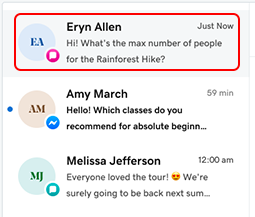
- 목록에서 대화를 선택합니다.
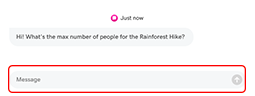
- 메시지 필드에 응답을 입력 한 다음
 메시지를 보내려면 보내기 .